






A desktop dental scanner digitizes physical models, impressions, and dies in a laboratory, while an intraoral scanner captures a patient’s teeth directly at chairside. The right choice depends on where scan data enters your workflow. Dental laboratories usually need a desktop scanner for lab-based digitization; clinics usually need an intraoral scanner for digital impressions. In connected workflows, the two systems can complement each other rather than compete.
What Is a Desktop Dental Scanner?
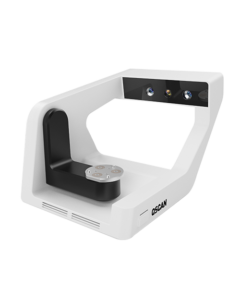
A desktop dental scanner is a stationary scanning system used mainly by dental laboratories. The operator places a physical object, such as a model, impression, die, or restoration component, inside or on the scanner. The resulting digital file can then move into dental CAD software and manufacturing workflows.
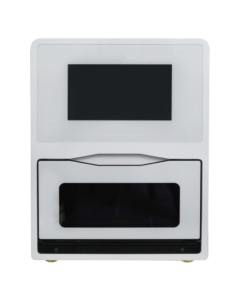
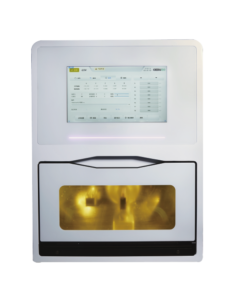
Desktop scanners are most relevant when cases arrive at the lab as conventional impressions or physical models, or when technicians need a controlled lab-based scanning process. The CEDU QScan desktop dental scanner is designed for this type of laboratory workflow.
What Is an Intraoral Scanner?
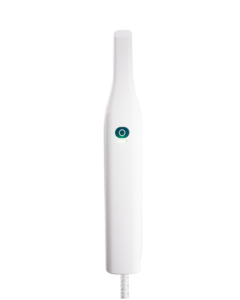
An intraoral scanner is a handheld clinical device used to capture the patient’s dentition directly in the mouth. It creates a digital impression that the clinic can review, store, and share with a dental laboratory or other treatment partners.
Its value is not limited to replacing impression material. A practical intraoral scanning workflow also depends on staff training, scan strategy, patient access, case review, and reliable file transfer. The CEDU OScan intraoral scanner is intended for chairside digital impression workflows.
Desktop Dental Scanner vs Intraoral Scanner: Comparison
| Comparison point | Desktop dental scanner | Intraoral scanner |
|---|---|---|
| Primary user | Dental technicians and laboratory design teams | Dentists, assistants, and clinical teams |
| Scan object | Models, impressions, dies, and other lab inputs | Teeth and oral structures directly in the patient’s mouth |
| Typical workflow | Physical case intake, digitization, CAD, and production | Chairside scan, clinical review, and digital case transfer |
| Best applications | Laboratory cases that begin with physical inputs | Digital impressions captured in a clinic |
| Portability | Normally remains at a laboratory workstation | Handheld and used chairside |
| Lab integration | Direct fit for model-based laboratory workflows | Supplies digital case files to the laboratory |
| Clinic integration | Limited when direct patient scanning is required | Designed for direct clinical data capture |
| Recommended use case | Choose when physical models or impressions enter the lab | Choose when the clinic wants to capture digital impressions directly |
Accuracy and Scan Object Differences
Accuracy cannot be judged by device category alone. A desktop scanner works with stable physical objects in a controlled laboratory setting. An intraoral scanner must capture data in a clinical environment where access, moisture control, scan path, patient movement, and operator technique can affect the result.
For either system, evaluate performance with the cases you handle most often. Confirm the supported indications, scanning method, calibration routine, software compatibility, and file output. A representative workflow test is more useful than comparing a single headline specification.
Workflow Differences for Dental Labs and Clinics
Desktop scanner workflow in a dental laboratory
- The laboratory receives a physical impression, model, or die.
- A technician prepares and scans the required object.
- The scan file is checked and transferred to dental CAD software.
- The restoration or appliance moves to milling, 3D printing, or another production step.
This route supports laboratories that still receive conventional cases while building a connected digital dental laboratory workflow.
Intraoral scanner workflow in a dental clinic
- The clinical team scans the patient chairside.
- The scan is reviewed before the patient leaves.
- Case information and digital files are shared with the laboratory.
- The clinic and laboratory communicate during design, production, and delivery.
For clinics, the scanner should fit the complete digital dentistry workflow, including training, case transfer, laboratory communication, and support.
Applications in Dental Labs and Clinics
A desktop dental scanner is usually the stronger choice when a laboratory needs to digitize physical case materials and connect them to CAD/CAM production. An intraoral scanner is usually the stronger choice when a clinic wants to create digital impressions directly and share cases without first producing a conventional impression.
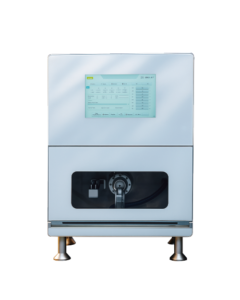
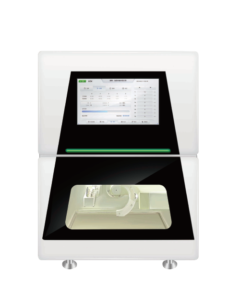
Neither category is automatically better for every indication. The most useful system is the one that removes a real bottleneck without creating a difficult handoff elsewhere. Review the wider range of CEDU digital dentistry equipment when planning how scanning connects with design and production.
Which Dental Scanner Should You Choose?
Choose a desktop dental scanner if most of the following describe your situation:
- You operate a dental laboratory or centralized production workflow.
- You regularly receive physical models, impressions, or dies.
- You need a repeatable lab intake process before CAD design.
- Your team can dedicate a stable workstation to scanning and case review.
Choose an intraoral scanner if most of the following describe your situation:
- You want to capture digital impressions directly in a dental clinic.
- You want to review scan coverage before the patient leaves.
- You need a clear digital handoff from clinic to laboratory.
- Your clinical team is prepared to train and use a consistent scan protocol.
Before purchasing, confirm file compatibility, software requirements, training, technical support, maintenance, and the process for resolving incomplete or inaccurate scans. Our guide to common dental scanner problems and solutions explains several practical checks.
Can a Dental Lab Use Both?
Yes. A laboratory can receive intraoral scan files from partner clinics while also using a desktop scanner for cases that arrive as physical impressions or models. This mixed workflow is common wherever clinics adopt digital impressions at different speeds.
The important step is to standardize accepted file formats, case naming, transfer methods, review responsibilities, and remake procedures. Using both scanners is valuable only when the handoff between clinic and laboratory is clear.
Frequently Asked Questions
What is the difference between a desktop dental scanner and an intraoral scanner?
A desktop dental scanner digitizes physical dental objects in a laboratory. An intraoral scanner captures teeth and oral structures directly in the patient’s mouth at a clinic.
Is a desktop dental scanner suitable for dental clinics?
It can support a clinic that needs to digitize physical models or impressions, but it cannot replace an intraoral scanner when the goal is direct chairside scanning.
Can a dental lab use intraoral scan files?
Yes, provided the laboratory’s software and case process support the file format and the clinic sends complete scan and prescription information.
Which dental scanner is better for dental labs?
A desktop scanner is generally the more direct fit for lab-based scanning of models, impressions, and dies. Laboratories can also receive intraoral scan files from clinics as part of a digital case workflow.
Do I need both a desktop scanner and an intraoral scanner?
Not always. A clinic may only need an intraoral scanner, while a laboratory may only need a desktop scanner. Organizations handling both chairside capture and physical lab inputs may benefit from both.
What should I consider when choosing a dental scanner?
Consider your primary users, scan objects, case volume, supported indications, software and file compatibility, training, technical support, maintenance, and how data moves to the next production step.
Need Help Choosing the Right Dental Scanner?
Tell us about your laboratory or clinic workflow. The CEDU team can help you compare suitable scanning options and plan the next step in your digital workflow.