






Choosing an intraoral scanner affects more than impression capture. It influences appointment flow, case communication, laboratory coordination, and the confidence of the team using it every day. This intraoral scanner buying guide helps dental clinics and labs evaluate the factors that matter before investing in a digital workflow.
Start With Your Workflow, Not a Feature List
Before comparing specifications, map the cases you handle most often. A clinic focused on restorative consultations may prioritize patient comfort, fast capture, and simple chairside communication. A laboratory receiving digital cases may place more weight on data consistency, file compatibility, and reliable coordination with partners.
Define who will scan, where scanning takes place, how files move to design or production, and what happens when a scan needs to be repeated. The best intraoral scanner is the one that supports that complete workflow with the least friction.
1. Scan Accuracy and Data Quality
Accuracy should be considered together with repeatability. A scanner must capture useful data consistently across routine cases, especially when different team members use the device. Look at how the scanner performs with common clinical challenges such as limited access, reflective surfaces, edentulous areas, and longer scanning paths.
Ask for a live demonstration using a realistic case type. It is also worth confirming how the software communicates missing areas, alignment issues, or tracking loss so the operator can correct a scan immediately.
2. Scanning Speed and Ease of Use
Fast scanning is valuable only when it produces dependable data. A practical evaluation includes the time needed to start a case, capture both arches and the bite, review the scan, and export or send the file. New staff should be able to follow a clear workflow without extensive troubleshooting.
Ergonomics matter as well. Consider handpiece weight, access in posterior areas, scanner tip options, and whether the software guides the operator through a repeatable scan path.
3. Patient Experience
Digital impressions can make appointments more comfortable when scanning is efficient and communication is clear. Patients benefit when clinicians can explain the case with 3D visuals and avoid unnecessary repeat appointments. For clinics, this can improve acceptance discussions and create a more modern treatment experience.
4. Software, File Formats, and Lab Communication
Your scanner should fit the rest of your workflow. Confirm whether it supports the file formats and integrations needed by your preferred laboratory, CAD software, aligner provider, or milling and printing workflow. Open file export can be important when you want flexibility in choosing downstream partners.
For a broader view of the workflow after scanning, see CEDU’s digital dental workflow guide for labs.
5. Support, Training, and Ongoing Updates
Equipment selection should include the support plan. Ask how onboarding works, what remote support is available, how software updates are delivered, and what routine maintenance is required. A clear support path reduces downtime and helps a team build confidence with digital scanning.
For troubleshooting topics that can affect scan quality, review our guide to common dental scanner problems and solutions.
6. Total Cost of Ownership
Do not evaluate only the purchase price. Include training time, software or service requirements, replacement accessories, workflow integration, and the impact on chair time or lab coordination. A scanner that reduces remakes, repeat scans, and communication delays can create more value than a lower-cost device that adds friction to the process.
Questions to Ask Before You Buy
- Which indications and case types will we scan most often?
- Can our team complete a typical scan with consistent results?
- How will scan data move to the laboratory or our CAD/CAM workflow?
- What training and technical support are available after installation?
- What are the ongoing software, accessory, and maintenance requirements?
- Can we see the system used in a workflow similar to ours?
Choosing an Intraoral Scanner for Your Team
A strong choice combines dependable data capture, comfortable clinical handling, compatible software, and a support plan that fits your team. If you are building or updating a digital workflow, compare options against your own case mix and production path rather than choosing solely on a specification sheet.
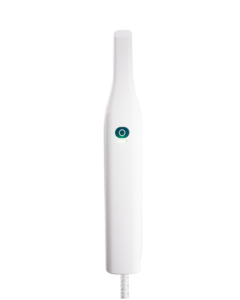
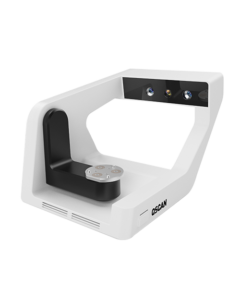
CEDU’s OScan intraoral scanner is designed for efficient digital impressions and everyday dental workflows. For help evaluating scanner fit, workflow requirements, or a product demonstration, contact the CEDU team.