

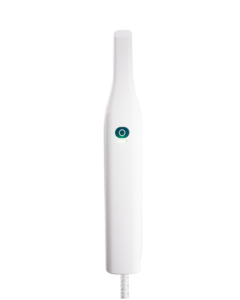
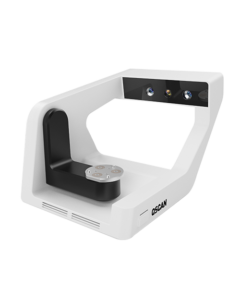
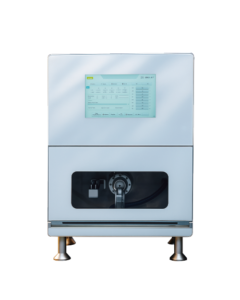
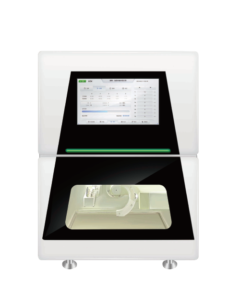






Choosing an intraoral scanner is a workflow decision, not simply a hardware purchase. The right system should help your practice capture dependable digital impressions, communicate cases clearly, and move information smoothly to your lab or in-house production workflow. This guide outlines the key questions to ask before you compare models.
Start with the cases you scan most often
Begin with your daily clinical mix. A practice focused on single crowns and simple restorative work may prioritize quick capture and easy scanning guidance. A clinic handling implants, orthodontics, full-arch rehabilitation, or a high volume of cases should also consider how consistently the scanner supports longer scans, difficult surfaces, and repeatable data capture.
It is useful to list the cases you expect to scan in the next 12 months, then compare each candidate system against that list. This keeps the decision focused on clinical usefulness rather than isolated specifications.
Five factors that matter in everyday use
1. Scan quality and repeatability
Look beyond a single accuracy number. A scanner should provide detailed, stable data across routine cases and allow you to review the scan before the patient leaves. Good visualization and clear scan feedback help the clinical team identify missing information early.
2. Speed and ease of use
Fast scanning can improve chairside efficiency, but the best workflow is one your team can use confidently. Consider the scanner weight, tip options, calibration routine, software guidance, and how easily new staff can learn the process.
3. Data openness and lab communication
Confirm which file formats you can export and how cases move to your preferred laboratory. An open, flexible workflow gives a practice more choice as partners and indications change. It also reduces manual steps between scanning, design, and manufacturing.
4. Software and clinical tools
Scanning software affects the experience as much as the handpiece. Review the tools used for bite registration, margin review, case communication, and patient visualization. Ask how updates are delivered and whether the software supports the applications you plan to add later.
5. Training, service, and total ownership
Plan for implementation, not just installation. Reliable onboarding, clear maintenance guidance, and responsive technical support help the scanner become part of a predictable workflow. Include warranty, software, consumables, and service expectations in your comparison.
Use a practical evaluation checklist
- Scan a representative crown, bridge, or implant case during a demonstration.
- Ask a team member who will use the device daily to test the workflow.
- Review the case-sharing process with your laboratory before purchase.
- Check the complete system requirements, update policy, and support route.
- Compare the workflow value over several years, not only the initial price.
Choose a scanner that fits the next stage of your practice
Digital impressions can support more efficient communication, a more visual patient experience, and a smoother path into digital dentistry. The best intraoral scanner is the one that your team will use consistently and that works well with the partners and production methods you rely on.
CEDU provides digital dental solutions for clinics and laboratories. Explore the OScan intraoral scanner, review our Resource Center, or contact CEDU to discuss your workflow requirements.